
How Do I Add/Manage Favourites
The Favourites feature of our website, allows you to save listings as Favourites so you can easily find them later.
To add a listing to your Favourites you simply click the add to Favourites link once your are logged in to website as described below (if you are not yet a member, you can just signup for a free account as instructed below).
To create a free account if you do not already have one, you simple click the Sign in button in the main header or inside the mobile menu if your using a mobile device. It will take you to a screen that looks like this:

From this screen you can either login or click the register option at the bottom to create your free account. You can also reset your password if you have registered but forgotten it.
So once you have logged in you can go to any listing and you will see at the top the option to add it to Favourites as shown in the screenshot below:
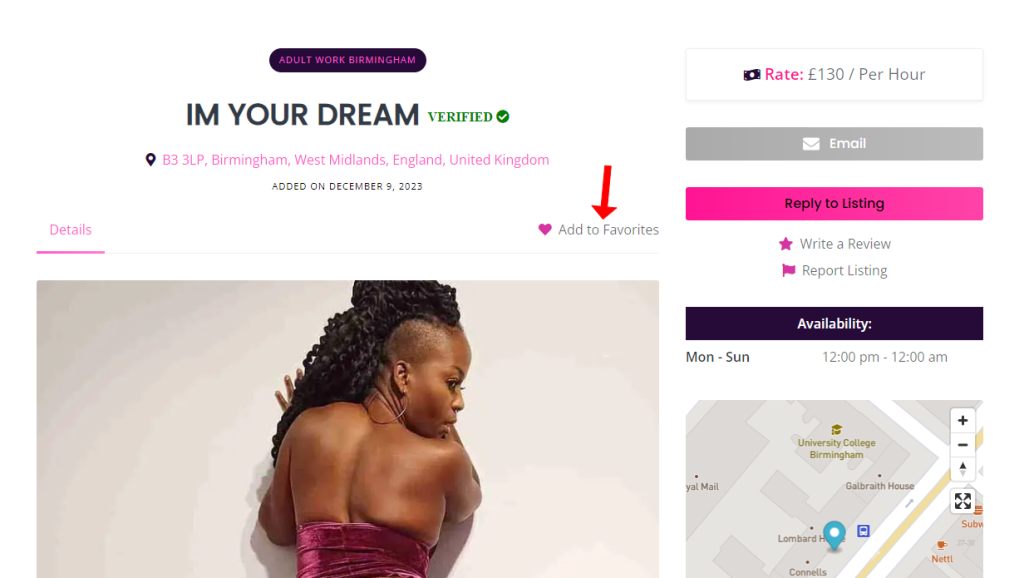
If this listing is already in your Favourites then it will show the option to remove from your Favourites instead.
How to access your Favourites
Accessing your Favourites is very easy. Once logged in to the website your will see your name in the top menu (of in the mobile menu if your using a mobile device). Click your name and it will open the user sub-menu as shown in the screenshot below.
Just select the Favourites option from this menu to go to Favourites screen. When you can remove listings from your Favourites or click to view them without needing to trawl though the site again.
Favourites are a great way of saving listings for later use and to ensure you do not loose a listing you really like.

 1 out of 1 people found this useful