
How To Manage Your Listings
Once you have a listing live on the website. You maybe will want to manage it and edit/update or even delete the listing in full. Here we show you how to do all of these things.
Step 1: Login to our website and then at the top of the page in the main menu you will see your username. (on Mobile you will see it in the menu also) Click your name and the sub menu will open. As shown below in the screenshot:
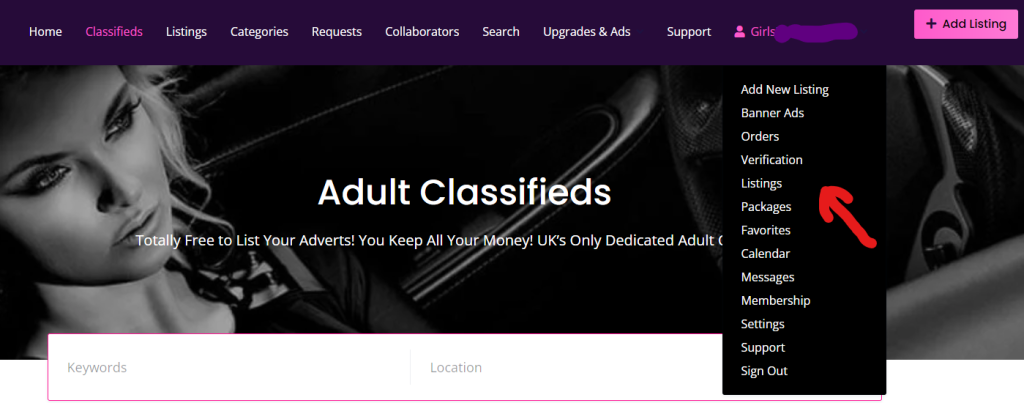
Step 2: Click on the listings item in the sub menu. You will then be taken to the listings screen as shown in the screenshot below.
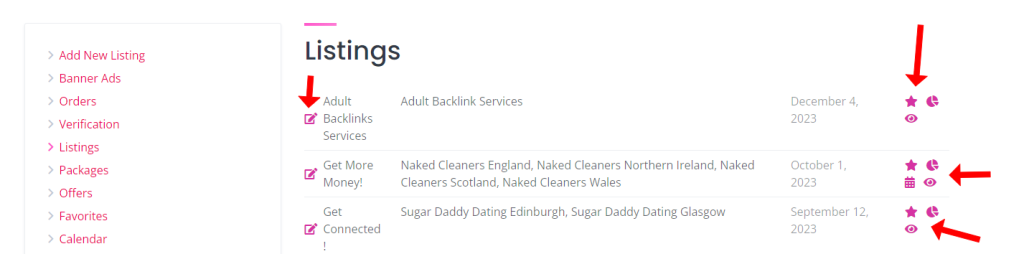
From this screen, you have different options you can perform here. You can click the edit icon to the left of your listing, this will take you to site edit screen where you can carry out edits etc. To the right of your listings, there are a number of icons.
* Clicking the star icon will take you the feature screen to buy a featured listing for this advert. Or it will show gold if the listing is already featured.
** Clicking the eye icon will take you to your listing on the website.
*** Clicking the chart icon will take you the statistics for your listing. Where you can see how many visitors you have had. Please note these take 24 hours to update. So looking today, will show you the statistics up until yesterday.
**** Clicking the calendar icon will take you to the bookings calendar for that listing. So you can see and admin your bookings & Availability.
If you click the edit icon you will be taken to a screen that looks like this for your listing:
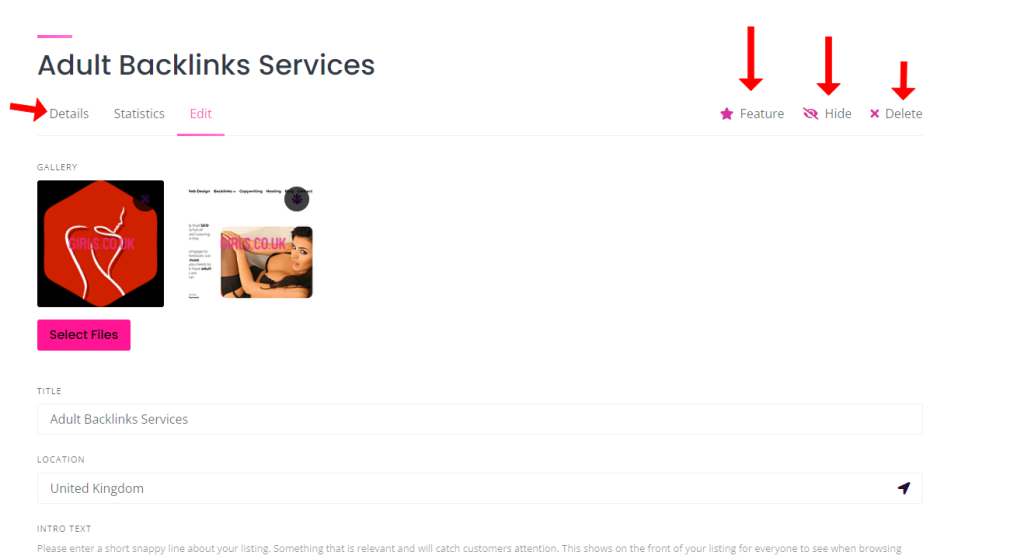
From this screen you can see several other options.
* You can click the feature option to buy a featured listing upgrade
** You can click the hide button, to stop the listing showing on our website. But without deleting it, so you can unhide it later and make it show again.
*** You can click the delete button to completely delete your listing.
**** You can also see links on the left to view your listings details and statistics too.
Also from this edit screen. You can update any of the information on your listings including adding/deleting images etc.

 4 out of 5 people found this useful