
How To Use Search Alerts
Search alerts are excellent for saving searches for later one click usage, or to be notified when something new matches your search.
So search alerts allow your run searches easily with one click from the search admin. Furthermore, when something new matches your saved searches, you will be notified by email of a new match!
To use search alerts you must be registered and logged in to the site at: https://www.girls.co.uk/classifieds/
Once logged in to the site, when making any search on the wesbite. You will see underneath the search results filters, the option to Set Search Alert for that exact search you just carried out. You can see this option marked in the following screenshot:
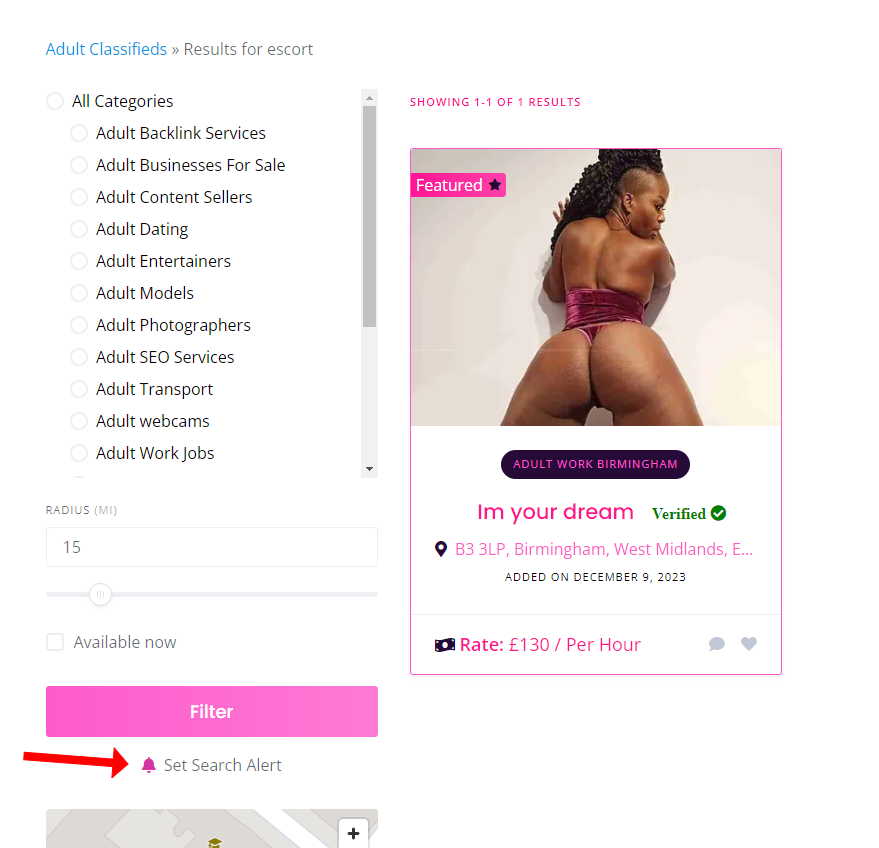
Just click that option to set the search alert. If the alert has already been set by you, will see the option to delete it instead.
Managing Search Alerts & One Click Search Runs
Once you have at least one saved search alert. You will see in your user menu a new menu item named ‘Searches‘. You can then click on this to go to the search admin screen as shown in the following screenshot:

From this screen you can see all your saved search alerts. You will see two icons next to each one. The x icon will delete the search alert. Clicking on the eye icon will run the search for you in live time and return all matching results – This is the one click search run. This can save you a lot of time and means you do not have to complete all the fields each time to run your regular searches.

 0 out of 0 people found this useful