
How To Request A Booking
Many of our listings allow for you to request a booking with them online. To request a booking all you need to do is select the dates/times you are interested and booking and click the request booking button!
This is how it looks on a listing:
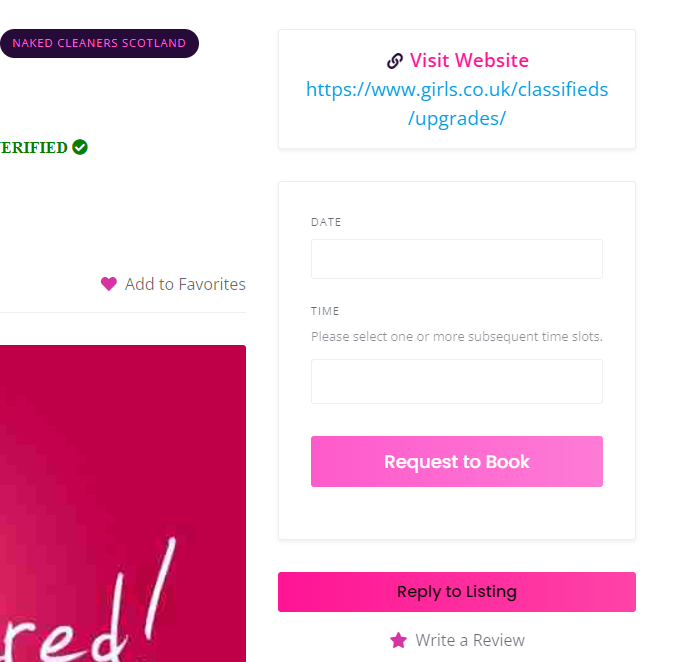
Please note the following when using this feature:
1. Not all listing owners have set up this function. If you get no slots available when trying to a request a booking. You will need to contact the listing owner to arrange a booking instead. No results for those dates or times, does not mean that person is not available, just that they have not entered any booking dates/times on their booking calendars.
2. Pay attention to any availability shown on the listing, You could be searching for a time slot that is outside that persons working hours. Once again you can contact them to see if your proffered times could be available.
3. Most people have it set so they have to manually accept your booking request. So be sure to look out for their acceptance or any messages they send you about the booking.
4. If you have made a booking request and not hear back in a reasonable amount of time. We suggest you contact the person to chase it up.
5. Different listing owners set their calendars up differently. So for example some will accept same day booking requests, where as others could of set it up to accept bookings only 24 hours or more in the future. Others will allow you to book a long way in advance, as some maybe will only enter availability on the day. So you will have to remember this when searching to send booking requests.

 1 out of 1 people found this useful